The best Livestorm alternative depends on what you want to improve in your webinar program.
For marketing teams looking for an easy way to create branded webinars, increase audience participation and understand engagement at participant level, Sparkup is our top Livestorm alternative. WebinarNinja is a strong option for teams running their first webinars. ON24 is designed for mature enterprise demand generation programs, Demio for straightforward lead-generation webinars, Goldcast for pipeline-focused B2B events, Zoom Webinars for broadcasts with very large audiences, and Riverside for teams that want to turn webinars into reusable marketing content.
Key takeaways
- Livestorm is an all-in-one, browser-based webinar platform covering registration, automated emails, live sessions, engagement, analytics and integrations.
- Security and privacy are among Livestorm's strongest arguments. Livestorm is GDPR-oriented, hosts customer data in AWS data centers in Ireland and offers enterprise controls such as SAML SSO, ISO 27001 compliance and a 99.98% Enterprise SLA.
- Livestorm's breadth can also be a limitation. Teams looking specifically for deeper live production, richer audience participation, highly specialized demand generation or advanced content production may prefer a platform built more strongly around one of those jobs.
- Its attendee-credit pricing can become harder to forecast for frequent or high-attendance programs. Pro starts at €1,000 per year for 400 attendee credits, and credits are consumed when participants actually attend live, replay or on-demand sessions.
- Sparkup is our top alternative for marketing teams. It combines easy-to-create branded webinars with interactive formats, audience- and participant-level engagement data, and the ability to use those insights in your broader marketing and CRM workflows.
Why marketing teams look for Livestorm alternatives
Livestorm already covers most of what a marketing team expects from webinar software.
You can manage registration, automated communications, browser-based webinars, audience engagement, recordings, analytics and integrations from one environment. Its Pro plan also includes unlimited events, recordings and team members.
So searching for a Livestorm alternative usually does not mean Livestorm lacks the basics.
It normally means one part of the webinar workflow has become particularly important to your team.
You may want to involve the audience more actively. You may need deeper engagement data. You might need to broadcast to tens of thousands of people, build sophisticated enterprise demand generation programs or turn every webinar into several pieces of content.
You need better webinar lead capture
A registration tells you very little if every attendee provides only a name and an email address.
Teams using webinars for demand generation often need additional context such as company, role, industry, use case or another qualification field specific to their funnel.
Customizable registration forms therefore matter, but collecting the information is only the first step.
You also need to know where that data goes afterward. Can you retrieve it at participant level? Export it? Synchronize it with your CRM? Use it to segment registrants or personalize your follow-up?
When evaluating a Livestorm alternative, create the registration experience you would actually use for a campaign rather than judging the platform from its default form.
You want more audience engagement
Most webinar platforms now offer polls, chat and Q&A.
The more important distinction is what role audience participation plays in the overall experience.
Some webinars still follow a relatively linear format: speakers present, attendees watch, then a Q&A opens at the end. Other teams deliberately use polls, questions, reactions and audience contributions throughout the session to understand how people are responding.
This is particularly relevant when webinars are used for thought leadership, product education or customer marketing.
An interaction is not valuable merely because someone clicked something. Its value comes from the context it gives you about the audience.
You need better data for follow-up
Registration and attendance are useful, but they leave a lot unanswered.
Two people can both appear as "attended" while having completely different experiences.
One joined for five minutes.
Another stayed for 50 minutes, answered two polls, reacted to a product announcement and asked a question during the Q&A.
Those participants probably should not be treated identically afterward.
This is why participant-level engagement data matters. Depending on the platform, marketers can look beyond attendance to understand viewing time, responses, questions, reactions, CTA activity or other forms of participation.
The next question is whether your team can actually use those signals.
A platform might provide excellent analytics inside its own dashboard but limited CRM synchronization. Another might focus heavily on sending webinar activity into HubSpot or Salesforce.
Look at both the quality of the data and the way it can be activated.
You need stronger branding and production
Webinars increasingly compete with podcasts, livestreams, video series and other polished forms of content.
That changes what marketers expect from the live experience.
Logo and color customization may be enough for a basic product demo. A recurring thought-leadership series or customer event might require more control over layouts, speakers, audience visibility, transitions and the overall composition of the live video.
Production quality matters because the webinar itself represents the brand.
The relevant question is not whether the platform offers "branding." It is how much control your team has over what attendees actually see during the session.
You want to get more value from each webinar
A webinar can continue working long after the live session finishes.
The recording can become an on-demand webinar, short videos, social clips, sales enablement material, written content or follow-up sequences.
If repurposing is central to your marketing strategy, compare platforms based on what happens after you click End, not just what happens while you are live.
Some tools primarily give you the recording. Others are increasingly building editing, clipping and content-generation workflows directly into the platform.
How much does Livestorm cost?
Livestorm currently uses an attendee-credit model.
The Free plan includes 30 attendee credits per year and is primarily designed to let teams evaluate the platform.
The Pro plan starts at:
- 400 annual attendee credits: €1,000/year
- 1,000 credits: €2,400/year
- 1,500 credits: €3,450/year
- 2,500 credits: €5,375/year
- 4,000 credits: €8,000/year
Enterprise pricing is custom.
Livestorm only consumes a credit when someone actually joins a live, replay or on-demand session. Registrants who never attend do not consume credits.
That can be useful when registration numbers are much higher than attendance.
However, teams running frequent webinars need to estimate annual consumption carefully, particularly because one person joining multiple separate sessions can use multiple credits.
The 7 best Livestorm alternatives for marketing webinars in 2026
1. Sparkup: best for interactive webinars with deeper engagement insights
Best for: Easy-to-run marketing webinars built around audience engagement and engagement insights.
Price: Free plan available for up to 20 registrants per month. Paid Pro, Business and Enterprise plans scale according to annual registrant volume.
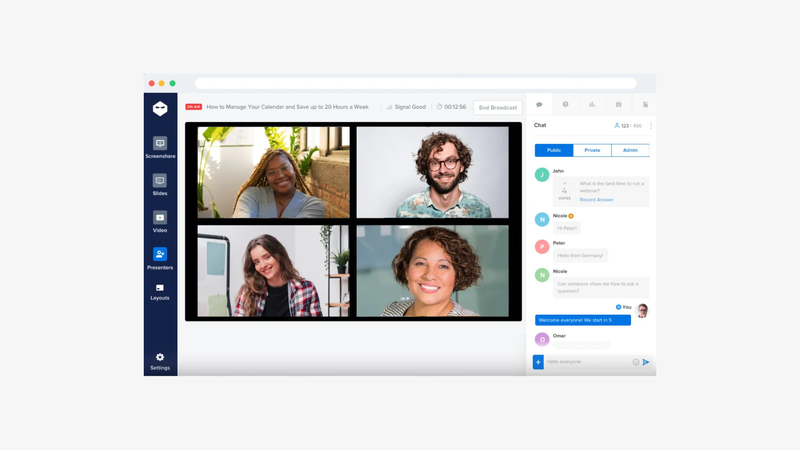
Sparkup overview
Sparkup is our top Livestorm alternative for marketing teams because it combines three things that are often evaluated separately: ease of use, audience participation and engagement analysis.
Creating a webinar does not require a production team.
Sparkup runs directly in the browser, and teams can quickly configure the registration experience, branding, speakers and live session from a single environment. Its webinar studio is explicitly designed so marketers can manage presenters, content and layouts without technical skills.
That makes it possible to get a standard marketing webinar ready in a few minutes rather than building a complicated production workflow.
But ease of use is only part of the positioning.
Sparkup puts much more emphasis on what happens during the webinar.
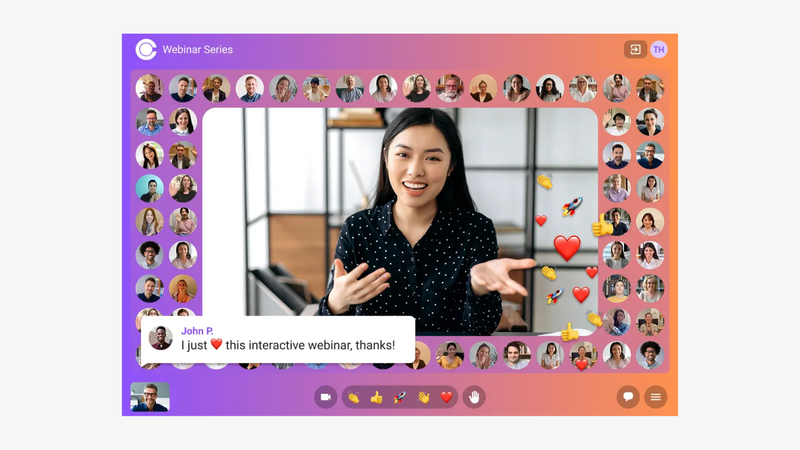
Teams can use polls, quizzes, Q&A, chat and CTAs directly in the live experience. Participants can raise their hand to speak, and hosts can also incorporate the audience visually into the webinar.
The important part for marketers is that these interactions do not stop at participation.
Sparkup provides webinar performance and engagement data, including viewing time, retention and poll results at global and individual participant level. Chat and Q&A histories can also be exported.
This gives marketing teams a more detailed picture of what happened than registration and attendance alone.
Instead of simply asking:
How many people came?
you can investigate:
Who stayed engaged?
Which topics triggered responses?
Which participants interacted?
Where did attention increase or fall?
That data can then provide additional context for CRM records and post-webinar follow-up.
Sparkup also puts more emphasis on the visual experience than traditional webinar software. Teams can create branded experiences, customize layouts and run the live through a browser-based production studio.
Sparkup is also a strong alternative for security-conscious organizations, with data hosted in Europe, GDPR-compliant practices and SAML SSO available for enterprise environments.
Key Sparkup features
- Easy-to-use, browser-based webinar studio
- Branded registration pages and registration forms
- Automated confirmation and reminder emails
- Polls and quizzes
- Q&A and live chat
- Custom Emoji Live Reactions
- CTAs
- Screen sharing
- Uploaded slide presentations
- Raise hand and audience participation
- Audience video mosaic
- Custom branding and layouts
- Viewing-time and retention analytics
- Individual poll response data
- Chat and Q&A exports
- Recording and replay
- RTMP input on Business plans
- Zapier and API integrations
Livestorm vs Sparkup
- Sparkup puts more emphasis on active audience participation, including direct audience involvement in the live experience.
- Sparkup is particularly focused on analyzing engagement, with retention, viewing-time and interaction data available at participant level.
- Sparkup combines this with a simple browser-based studio, making it easy for marketing teams to build branded webinars without technical production skills.
2. WebinarNinja: Best for teams getting started with Webinars
Best for: Teams launching webinars for the first time and prioritizing simplicity.
Price: No permanent free plan, but a 14-day free trial is available. WebinarNinja currently uses attendee-based pricing, with annual pricing advertised from $0.30 per attendee per month during its current offer, and core features included in the same plan.
WebinarNinja overview
WebinarNinja is built around a simple idea: remove as much friction as possible from getting a webinar online.
It is entirely browser-based, so hosts and attendees do not need to install software.
Its webinar creation workflow guides the user through the essential steps, including webinar details, registration, email notifications, preferences and promotion. Teams that want to move quickly can also skip intermediate steps and finish the setup immediately.
That makes WebinarNinja especially interesting for smaller teams, consultants, educators or marketers running their first webinar program.
You do not need to assemble several products.
Registration pages, email automation, webinar delivery, engagement and reporting all sit inside the platform.
It also supports live, automated and series-based webinar formats, which gives beginners room to expand once the basic workflow is working.
The pricing model is another unusual aspect.
WebinarNinja currently promotes one plan where the included functionality is largely available without feature-gating across multiple higher tiers. Pricing then varies according to attendee capacity.
That can make the platform easier to understand when you're starting small.
The main compromise is video quality.
WebinarNinja's technical documentation targets 1280×720 at 30 fps for webinar broadcasts.
That may be perfectly adequate for straightforward presentations but is limiting if production quality is a major part of your webinar format.
Key WebinarNinja features
- Browser-based webinar setup
- Built-in registration and landing pages
- Customizable registration forms
- Confirmation, reminder and follow-up emails
- Live webinars
- Automated webinars
- Webinar series
- Chat
- Polls and Q&A
- Screen sharing
- Uploaded slide presentations
- Webinar analytics
- Paid webinars through Stripe
- Timed offers
- Replays
- Zapier and API integrations
- Unlimited webinars and registrants depending on the current plan structure.
Livestorm vs WebinarNinja
- WebinarNinja is particularly easy to approach for first-time webinar hosts.
- Its pricing structure is simpler, with the core feature set bundled together and capacity driving much of the cost.
- WebinarNinja supports paid webinars natively through Stripe, which can be useful for coaches, educators and businesses selling access directly.
- Livestorm offers a stronger enterprise proposition, particularly around security, privacy, governance and large-company integrations.
- WebinarNinja's 720p live-video target is more limiting for teams prioritizing premium production quality.
3. ON24: best for enterprise demand generation programs
Best for: Mature enterprise demand generation programs.
Price: No free plan or public list pricing. Essentials, Standard and Advanced packages are priced on request.
ON24 overview
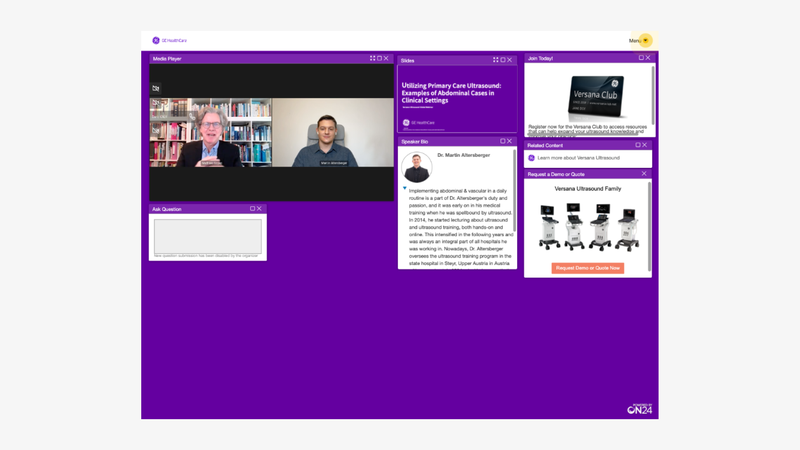
ON24 is closer to an enterprise digital engagement platform than a standalone webinar tool.
Webinars sit alongside virtual events, content experiences, personalization, first-party engagement data and marketing automation.
That makes ON24 particularly relevant when webinars are an established demand generation channel rather than an occasional campaign.
Its Essentials package already includes customizable live, simulive and on-demand webinars, branded registration, custom forms, automated communications, analytics and more than 30 marketing and CRM integrations.
The analytics become more differentiated at the Standard level.
ON24 can analyze top-performing webinar moments through engagement heat maps and provide real-time first-party data at account, segment and individual level.
The platform also connects webinar engagement directly to content nurture.
A successful session can generate follow-up landing pages, short-form video, transcripts, blogs and other assets.
That depth is useful for sophisticated marketing organizations.
It can be excessive for a team whose requirement is simply to run a polished monthly webinar.
Key ON24 features
- Live, simulive and on-demand webinars
- Production studio
- 20+ interaction tools
- Branded registration pages
- Custom registration forms
- Automated email communications
- 30+ CRM and marketing integrations
- First-party engagement data
- Account, segment and individual-level analytics
- Engagement heat maps
- Personalized experiences
- Automated nurture pages
- AI-generated webinar content
- Content hubs
Livestorm vs ON24
- ON24 provides a deeper enterprise demand-generation environment.
- Its analytics extend beyond an individual webinar into account and cross-program engagement.
- ON24 offers more sophisticated personalization and nurture workflows.
- Livestorm provides public entry-level pricing, while ON24 requires a sales conversation.
4. Demio: best for straightforward webinars
Best for: Straightforward lead-generation webinars.
Price: No permanent free plan is advertised. Starter begins at $45/month billed annually for a 50-attendee room. Premium starts at $196/month billed annually.
Demio overview
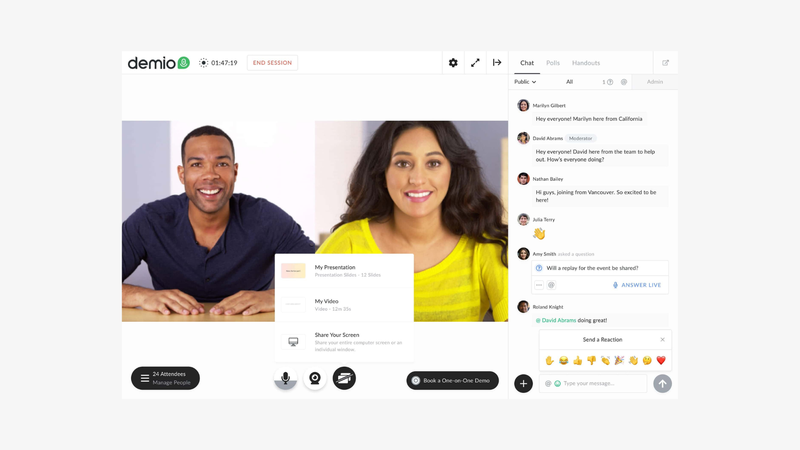
Demio is aimed squarely at marketers who want to generate leads through webinars without introducing the complexity of a larger event platform.
Its workflow is familiar.
Create the registration experience, collect contact information, run the webinar, use engagement features and review participant activity afterward.
Demio's Starter plan includes chats, polls, featured actions, handouts and engagement analytics.
That makes it a good fit for recurring product webinars, educational sessions and demand generation campaigns where the webinar process needs to remain simple.
Higher plans add more capacity, brand control, additional hosts and premium integrations.
Demio also supports automated and on-demand webinar formats, which can extend a lead-generation campaign beyond the original live event.
Key Demio features
- Custom webinar registration
- Live webinars
- Event series
- Automated webinars
- On-demand webinars
- Polls
- Chat
- Featured actions
- Handouts
- Engagement analytics
- Branding
- Premium integrations on higher plans
- Up to 3,000 attendees depending on the selected plan
Livestorm vs Demio
- Demio offers a focused marketing webinar workflow with relatively little complexity.
- Its entry pricing is straightforward for smaller programs.
- Livestorm provides a broader enterprise and integration ecosystem.
- Livestorm has a stronger security and governance story for larger organizations.
- Demio is a good fit when the webinar's main purpose is lead generation rather than running a broader event or engagement program.
5. Goldcast: best for pipeline-focused B2B events
Best for: B2B marketing teams connecting webinars and events to pipeline.
Price: No public webinar subscription price. Starter, Pro, Premium and Enterprise packages are available through sales.
Goldcast overview
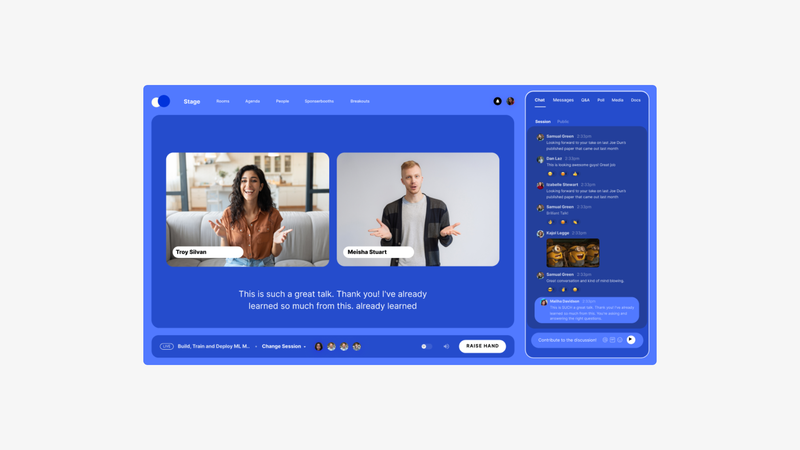
Goldcast is designed around B2B event and revenue marketing.
That means the webinar is treated as one component of a broader pipeline-generating event strategy.
Its plans cover webinar production, digital events, reporting, CRM integrations and content repurposing.
Goldcast's current plan structure includes webinar-only Starter and Pro tiers, while Premium and Enterprise expand into broader digital events. Attendee counts are listed as unlimited across those packages, although event allowances differ by plan.
The platform's strongest differentiation comes after you connect event activity to the rest of the marketing journey.
Goldcast supports CRM and marketing integrations and provides detailed post-event analytics.
Its Content Lab offering is also a major part of the proposition, designed to transform event video into clips, blogs and social content.
This makes Goldcast particularly relevant to field marketing, demand generation and event teams that need webinars to influence more than attendance metrics.
Key Goldcast features
- Webinar hosting
- Digital events
- Branded event experiences
- Registration workflows
- Audience engagement
- Post-event analytics
- CRM and marketing integrations
- Security certifications
- User roles and permissions
- Content Lab
- Automated clips
- Blog and social content generation
- HD recording workflows
Livestorm vs Goldcast
- Goldcast is more explicitly built around B2B event and revenue marketing.
- Its content repurposing proposition is stronger and more central to the product.
- Goldcast makes more sense when webinars sit alongside digital and field events.
- Livestorm is simpler for teams looking primarily for webinar software.
- Livestorm also provides transparent entry-level pricing, while Goldcast uses sales-led pricing.
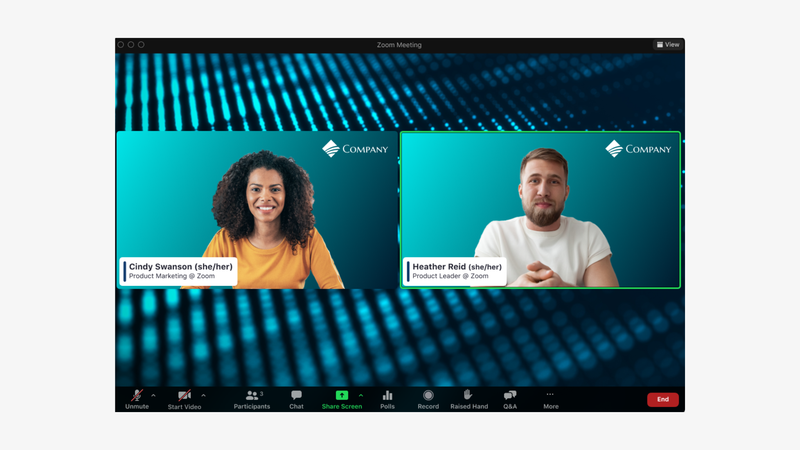
6. Zoom Webinars: best for marketing teams already standardized on Zoom
Best for: Very large webinars, broadcasts and public events.
Price: No free Zoom Webinars plan. Pricing varies according to attendee capacity and package, starting with licenses for 500 attendees.
Zoom Webinars overview
The strongest reason to consider Zoom Webinars in this comparison is scale.
Zoom Webinar licenses start at 500 attendees and can scale as high as 1 million view-only attendees, depending on the license purchased. Events over 200,000 attendees require advance notice.
That puts Zoom in a very different category when you're planning a major company broadcast, public-sector briefing, large product launch or high-profile virtual event.
The core webinar product includes chat, reactions, polls, Q&A, registration, recordings and reporting.
Zoom Webinars Plus adds more advanced production functionality such as private backstage areas, scenes, layouts, pre-recorded content and richer engagement analytics.
Zoom Events expands further into multi-session events, networking and event lobbies.
For ordinary marketing webinars with a few hundred participants, that scale may not matter.
But once your audience reaches tens of thousands of people, capacity and infrastructure become a buying criterion in their own right.
Key Zoom Webinars features
- Webinar capacities from 500 up to 1 million attendees
- Custom registration questions
- Chat
- Q&A
- Polls
- Reactions
- Webinar reporting
- Recordings
- Simulive sessions
- Private backstage with Webinars Plus
- Professional layouts and scenes
- Richer analytics with Webinars Plus
- Multi-session events through Zoom Events
Livestorm vs Zoom Webinars
- Zoom is the stronger option when audience capacity is the deciding factor.
- Zoom Webinars can scale dramatically beyond the audience sizes typical of most marketing webinar platforms.
- Zoom Webinars Plus also offers more advanced large-event production capabilities.
- Choose Zoom when you're preparing a truly large-scale broadcast rather than simply a standard webinar.
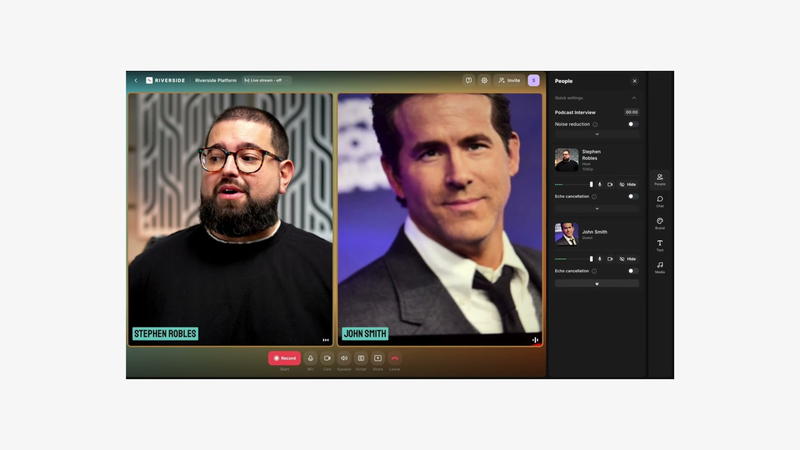
7. Riverside: best for turning webinars into marketing content
Best for: Marketing teams turning webinars into high-quality reusable content.
Price: Riverside Webinar is currently $79/month billed annually and includes webinars for up to 100 registrants. Business pricing is custom and scales webinars to 10,000 registrants.
Riverside overview
Riverside approaches webinars from the opposite direction to most webinar software.
Its roots are in recording and content production.
The Webinar plan adds webinar-specific functionality to that environment, including branded registration, lead capture, reminder and follow-up emails, Q&A, polls, reactions, live call-ins and webinar analytics.
The real advantage appears after the webinar.
Riverside includes 4K recording on its content plans, separate audio and video tracks, text-based editing, transcription and AI-assisted repurposing.
So the workflow can become:
webinar → replay → edited video → short clips → social content → podcast or other assets
without moving the recording through several separate production platforms.
That makes Riverside particularly attractive for content marketing teams.
If the webinar is primarily a demand generation asset and detailed attendee behavior matters more than post-production, another platform may fit better.
Key Riverside features
- Branded registration forms
- Lead capture
- Reminder and follow-up emails
- Q&A
- Polls
- Reactions
- Live audience call-ins
- Webinar analytics
- HubSpot integration
- 4K recording
- Separate audio and video tracks
- Text-based editing
- AI repurposing
- Magic Clips
- Transcription
- Multistreaming
- Salesforce and Marketo integrations on Business
Livestorm vs Riverside
- Riverside is significantly more focused on recording and content production.
- It is easier to turn webinars directly into edited video and short-form content.
- Livestorm has the stronger traditional webinar-marketing workflow, particularly around event management and broader integrations.
- Livestorm has a stronger enterprise privacy and compliance positioning in Europe.
- Choose Riverside when the recording itself is one of the main marketing assets you want from the webinar.Which Livestorm alternative is best for your marketing strategy?
Which Livestorm alternative is best for your marketing strategy?
If your priority is creating professional webinars quickly while getting people to actively participate and understanding what that participation tells you, Sparkup is our top choice.
Its differentiation comes from the connection between ease of use, interaction and engagement data.
Marketing teams can quickly configure a branded webinar in the browser, involve attendees throughout the live experience and then analyze retention and participant-level behavior afterward.
For teams just getting started with webinars, WebinarNinja offers an attractive combination of simplicity and predictable functionality.
For enterprise demand generation, ON24 provides significantly deeper analytics, personalization and nurture workflows.
For straightforward lead-generation webinars, Demio keeps the workflow focused.
For pipeline-driven B2B events, Goldcast connects webinars with a broader revenue-event strategy.
For tens or hundreds of thousands of attendees, Zoom Webinars is the standout option because scale becomes its own requirement.
And if your webinar needs to become a library of marketing content afterward, Riverside has the strongest production and repurposing workflow in this shortlist.
The most useful test is still to run the same scenario in two or three products:
- Create a branded webinar and registration form.
- Add a qualification field.
- Invite a speaker.
- Join as an attendee and answer a poll.
- Ask a question.
- Check exactly what you can see about that participant afterward.
- Transfer that information into your marketing workflow.
- Produce one post-webinar asset from the recording.
That tells you far more than counting features on pricing pages.
What marketing teams should look for in a Livestorm alternative
Can you create the webinar quickly?
Complexity adds up when your team runs webinars regularly.
Look at how many steps it takes to create the session, registration page, emails, speakers and branding.
A platform that saves 30 minutes on every webinar can have more practical value than one extra feature you rarely use.
Can you capture the data your sales and marketing teams actually need?
Custom forms are only the beginning.
Look at whether the information remains accessible at participant level and how easily it can move into your marketing stack.
Does engagement generate useful insights?
Counting features such as polls or Q&A tells you very little.
Ask what you can learn afterward.
Can you identify which participant answered which poll?
Can you see retention?
Questions?
Viewing time?
An interaction is much more valuable when it creates information that marketers can act on.
Does it integrate with your marketing stack?
An integration logo does not explain how the integration works.
Check exactly which data moves between systems and in which direction.
Does the webinar look like your brand?
Evaluate the actual live experience, not only the registration page.
Layouts, speakers, visual composition and production controls determine whether your webinar feels like a generic meeting room or a branded marketing format.
Can it meet your security and privacy requirements?
This becomes increasingly important as webinar programs grow.
Check data hosting, GDPR compliance, SSO, encryption, access controls and enterprise security documentation.
Livestorm is particularly strong in this area, which means any replacement being considered by a security-conscious enterprise should be evaluated against the same standard.
Can one webinar create value after the live ends?
Consider both content and data.
What can you create from the recording?
And what can you understand from audience behavior?
The best webinar programs generate both.
Frequently asked questions
What is the best Livestorm alternative for marketing teams?
Sparkup is our top Livestorm alternative for marketing teams looking for an easy way to create branded webinars while combining audience participation with detailed engagement analytics. Teams can use interactive formats during the session, then analyze viewing time, retention and participant-level interactions to better understand how their audience responded.
What is the easiest Livestorm alternative to use?
Sparkup and WebinarNinja are both strong options when ease of use is a priority. Sparkup combines a simple browser-based webinar studio with marketing-focused engagement and analytics, while WebinarNinja is particularly well suited to first-time webinar hosts looking for a straightforward setup process.
What is the best Livestorm alternative for beginners?
WebinarNinja is a good choice for beginners. It runs entirely in the browser and guides users through webinar setup, registration, notifications and promotion without requiring a complex technical workflow. Sparkup is another strong option for beginners, with a simple browser-based interface that makes it possible to set up and run a professional webinar quickly.
What is the best Livestorm alternative for large webinars?
Zoom Webinars is the strongest option in this shortlist for very large events, with webinar capacities ranging from 500 attendees to as many as 1 million view-only participants depending on the license. Sparkup is also a relevant option for most large-scale marketing webinars, supporting audiences of up to 10,000 participants while retaining interactive features and engagement analytics.
Is Livestorm secure?
Livestorm places significant emphasis on security and privacy, with European data hosting, GDPR-oriented data practices and enterprise controls such as SAML SSO and ISO 27001 compliance. Sparkup is also a strong alternative for security-conscious organizations, with data hosted in Europe, GDPR-compliant practices and SAML SSO available for enterprise environments.
Which Livestorm alternative is best for lead generation?
Sparkup is particularly relevant when you want to go beyond registration and attendance data to understand how individual leads engage during the webinar. Poll responses, participation and viewing behavior can provide additional context for follow-up. Demio is a good choice for more straightforward lead-generation webinars, while ON24 is better suited to sophisticated enterprise demand generation programs.
Which Livestorm alternative is best for content repurposing?
Riverside is particularly strong when webinar recordings need to become additional video and social content. Its Webinar offering sits alongside 4K recording, separate audio and video tracks, text-based editing, transcription and AI-assisted repurposing, making it a strong fit for content-heavy webinar strategies.