Zoom Webinars is a strong option for organizations hosting large-scale online presentations, especially those already using Zoom Workplace. It supports structured, presenter-led events and can accommodate audiences far beyond a typical team meeting.
But scale isn't the only thing that matters when choosing webinar software. Marketing teams may want more creative control over their live production, better ways to involve their audience, or a platform designed specifically for webinars rather than meetings.
Here are seven Zoom Webinar alternatives worth considering in 2026, each with a different strength.
Best Zoom Webinar Alternatives at a Glance
Looking for an alternative to Zoom Webinars? Here are seven platforms worth considering, depending on your needs:
- Sparkup: Best for interactive, studio-quality webinars with advanced audience engagement and professional live production.
- Livestorm: Best for secure, traditional webinars with enterprise-grade security and essential webinar features.
- Demio: Best for marketing teams looking for a simple way to host webinars and generate leads.
- WebinarJam: Best for entrepreneurs and course creators who use webinars to sell products or services.
- EasyWebinar: Best for businesses that want to combine live webinars with automated and evergreen campaigns.
- GoTo Webinar: Best for organizations running traditional webinars, corporate training, and recurring presentations.
- WebinarNinja: Best for beginners and small teams looking for a straightforward way to get started with webinars.
Each platform takes a different approach to webinar hosting. The best choice depends on whether you prioritize audience engagement, security, marketing, sales conversions, automation, or simplicity.
Why Look for a Zoom Webinar Alternative?
Zoom Webinars can be a sensible choice when audience capacity, familiarity with Zoom, and a structured presentation format are the priorities. It becomes less obvious when a team needs a dedicated webinar workflow or wants to make live events feel different from everyday video calls.
Additional licensing costs
Zoom Webinars is sold within the broader Zoom ecosystem. Depending on the account and commercial offer, organizations may need an eligible Zoom Workplace subscription alongside their webinar capacity.
That means the relevant comparison isn't simply the advertised webinar add-on price. It's the total cost of the licenses, capacity and features required to run an event.
For an organization already paying for Zoom Workplace, that arrangement may be convenient. For a marketing team looking only for webinar software, a standalone platform may be easier to budget for.
A webinar experience built on a meeting platform
Zoom became widely adopted through video meetings, and its webinar products build on that ecosystem.
This has advantages. Employees already familiar with Zoom may need less training, and IT teams may appreciate working with an existing vendor.
The trade-off is that meeting, webinar and event products can serve overlapping but different purposes. Teams should check which Zoom product includes the registration, production, audience interaction and reporting capabilities they actually need.
A dedicated webinar platform may offer a more focused workflow for creating, promoting and producing events.
Different needs for production and audience engagement
A product demo, executive town hall and sales presentation may all be called webinars, but they don't require the same experience.
For a straightforward presentation, screen sharing and moderated Q&A may be sufficient.
For a product launch or internal company event, the production might involve several speakers, different camera layouts, branded visuals, prerecorded sequences and active participation from the audience.
Zoom provides interaction and production features, but teams looking for a more TV-like format may prefer a platform built around live production and audience participation.
The 7 Best Zoom Webinar Alternatives
1. Sparkup: Best for Interactive, Studio-Quality Webinars
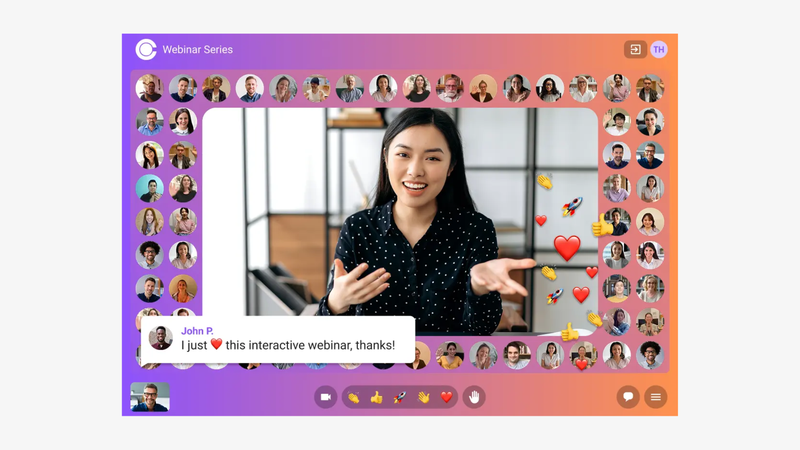
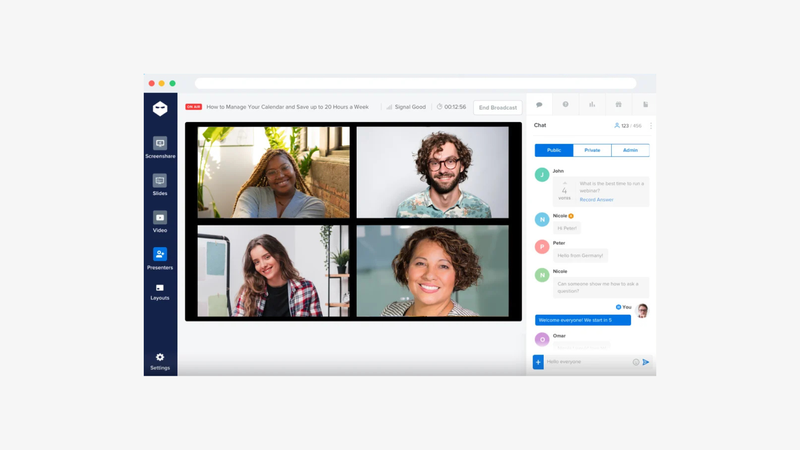
Sparkup is a webinar and live streaming platform designed to create engaging, interactive live experiences with studio-quality production, all managed easily from a browser.
Its approach combines professional live production with audience participation. The built-in studio lets teams manage speakers, switch layouts and customize their visual identity without complex production software. Interactive features such as polls, quizzes and Q&A can appear directly within the video experience as overlays, creating a more dynamic, broadcast-style format.
Sparkup also features a virtual audience mosaic, allowing attendees to appear on screen and even take the floor. This makes webinars feel more immersive and participatory, particularly for internal communications, product launches and corporate events.
Beyond the live experience, Sparkup covers the entire webinar workflow, from branded registration pages and automated reminders to replays and detailed engagement analytics.
Key features:
- Browser-based live production studio
- Custom layouts, branding and visual overlays
- Interactive polls and quizzes integrated into the video
- Live Q&A, chat and audience reactions
- Virtual audience video mosaic
- Ability to invite attendees on stage
- Branded registration pages and forms
- Automated confirmation and reminder emails
- Webinar recordings and replays
- Attendance and engagement analytics
Best for: Marketing, internal communications and event teams looking for studio-quality webinars that actively involve their audience.
Strengths: Professional live production, immersive audience participation, video-integrated interactions and a complete webinar management workflow.
Considerations: Sparkup focuses primarily on live experiences. Businesses looking specifically for automated evergreen sales funnels may prefer a platform dedicated to webinar automation.
Pricing: Sparkup's Webinar plan starts at €99/month with monthly billing, or €79/month billed annually, for up to 100 concurrent participants. It includes unlimited webinars, so teams can host as many sessions as they need without consuming attendee credits or paying per event.
A 14-day free trial is available. Sparkup also offers a free plan, but this is limited to live streaming to one external destination and does not include webinar hosting. Higher participant capacities and event plans are available for larger audiences.
Why choose it over Zoom Webinars? Sparkup brings studio-quality production, video-integrated interactions, and an immersive audience mosaic into a browser-based experience designed to make webinars more engaging and participatory.
2. Livestorm: Best for Secure, Traditional Webinars
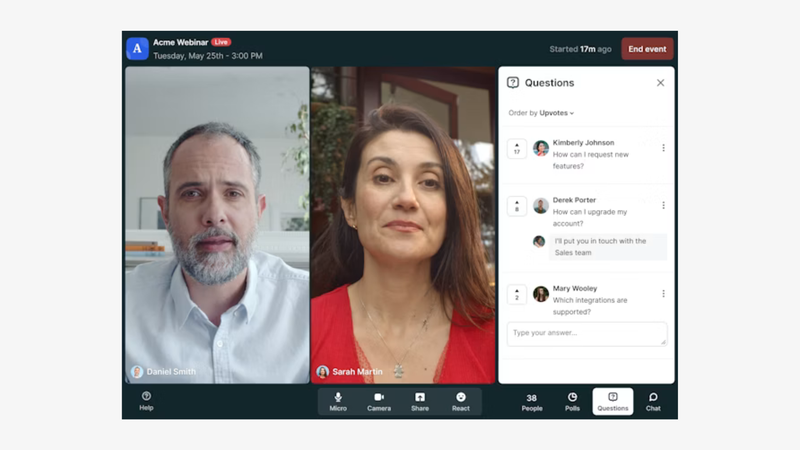
Livestorm is a webinar platform particularly suited to organizations that prioritize security, compliance and a structured approach to hosting online presentations.
With ISO 27001 certification and enterprise-oriented security features, Livestorm is relevant for companies with strict IT and data protection requirements. It provides the essential tools needed to organize traditional webinars, including registration pages, automated emails, screen sharing, polls, Q&A and attendance reporting.
Its approach is well suited to presentation-led webinars where speakers deliver content to an audience, with familiar interaction tools available throughout the session. Livestorm also offers integrations with marketing and CRM platforms, making it practical for organizations with established workflows.
Key features:
- ISO 27001-certified information security management
- Webinar registration pages and forms
- Automated confirmation and reminder emails
- Screen sharing and presentation tools
- Live polls and surveys
- Audience Q&A
- Live chat
- Webinar recordings and replays
- Attendance and engagement reporting
- CRM and marketing automation integrations
Best for: Organizations looking for a secure, traditional webinar platform with essential hosting features and enterprise-oriented security.
Strengths: Security and compliance, established webinar workflows, familiar audience interaction tools and marketing integrations.
Considerations: Livestorm uses a pricing model involving participant credits or allowances, depending on the plan. Costs can increase with audience volume and webinar frequency. For organizations primarily looking for standard webinar features such as registration, polls, Q&A and recordings, its pricing may be harder to justify when less expensive alternatives cover similar essentials.
Pricing: Livestorm's Pro plan starts at €1,000 per year for 400 attendee credits, equivalent to approximately €83/month. Unlike platforms that charge based on concurrent audience capacity, Livestorm deducts credits each time an external attendee participates in a session.
For example, hosting ten webinars with 100 attendees each would consume 1,000 credits, costing €2,400 per year on the corresponding Pro tier. Livestorm allows unlimited events, but the number of attendees across those events is constrained by the purchased credit allowance.
This model can become expensive for teams running frequent webinars, even when they only need standard hosting features. Enterprise pricing is available on request.
Why choose it over Zoom Webinars? Livestorm offers a dedicated webinar workflow with ISO 27001-certified security, making it an alternative for organizations that prioritize compliance and traditional webinar management.
3. Demio: Best for Simple Marketing Webinars
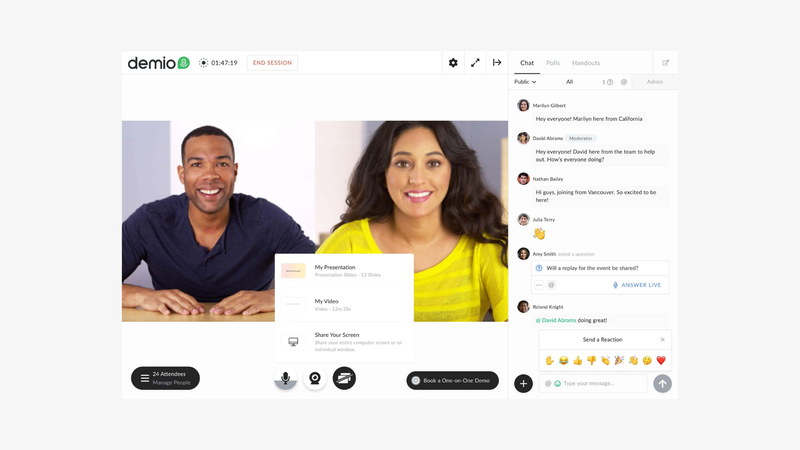
Demio is a webinar platform designed for marketing teams that want to generate leads and host professional online presentations without complicated setup.
It brings together the main stages of a marketing webinar, from registration and event promotion to live delivery and follow-up. Its straightforward interface makes it particularly relevant for teams running recurring educational webinars, product demonstrations and lead-generation campaigns.
Demio also supports automated and on-demand webinar formats, allowing marketers to extend the value of their content beyond a single live session. Engagement and attendance data help teams understand how prospects interact with their webinars and identify opportunities for follow-up.
Key features:
- Webinar registration pages
- Custom registration forms
- Automated email notifications
- Live webinar hosting
- Screen sharing and presentations
- Live polls
- Audience Q&A and chat
- In-webinar calls to action
- Automated and on-demand webinars
- Attendance and engagement analytics
Best for: Marketing teams looking for a simple, efficient platform to organize webinars and generate leads.
Strengths: Ease of use, marketing-oriented workflows, lead-generation features and automated webinar options.
Considerations: Demio prioritizes straightforward webinar management over advanced live production. Teams looking for elaborate visual layouts or more immersive audience participation may prefer a production-focused platform.
Why choose it over Zoom Webinars? Demio offers a more focused marketing webinar workflow, making it easier to manage lead generation, registrations, and follow-ups without relying on the broader Zoom ecosystem.
Pricing: Demio's Starter plan starts at $45/month billed annually, or $63/month billed monthly, with a capacity of 50 attendees and one host.
The Growth plan starts at $117/month per host with annual billing and supports larger audiences, starting at 150 attendees. Premium plans add advanced capabilities and dedicated support.
Demio also offers a 14-day free trial. Pricing depends on attendee capacity and the number of hosts, which can affect costs for teams running multiple simultaneous webinars.
4. WebinarJam: Best for Sales-Focused Webinars
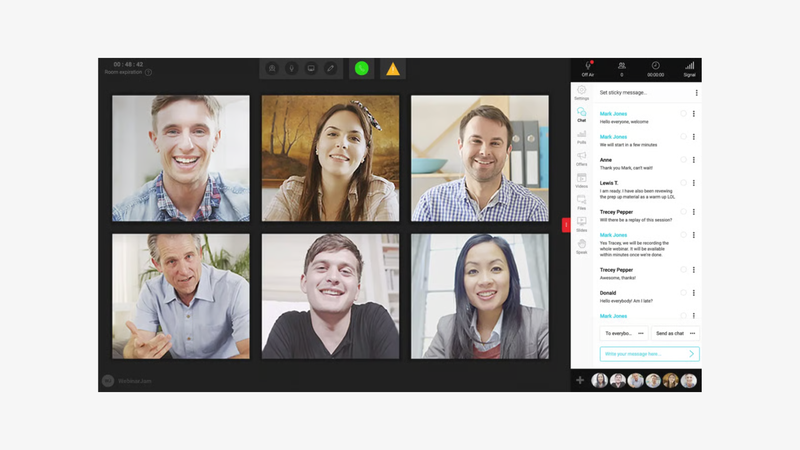
WebinarJam is designed for entrepreneurs, coaches, course creators and businesses that use webinars as a direct sales channel.
Its features support presentations built around a commercial objective, whether that's selling an online course, promoting a coaching program or converting prospects into customers. In-webinar offers and calls to action help presenters introduce products and encourage attendees to take the next step.
WebinarJam also provides registration, email notifications and attendance tracking to support the webinar journey. For businesses interested in automated sales presentations, its companion product EverWebinar offers evergreen webinar capabilities, with availability depending on the commercial package.
Key features:
- Webinar registration pages
- Customizable registration forms
- Automated email notifications
- Live webinar broadcasting
- Screen sharing and presentations
- Live chat and Q&A
- Audience polls
- In-webinar product offers
- Calls to action and sales tools
- Webinar recordings and replays
Best for: Entrepreneurs, coaches and course creators who use webinars to sell products, services or training programs.
Strengths: Sales-oriented webinar tools, promotional offers, conversion-focused features and workflows designed for commercial presentations.
Considerations: WebinarJam is primarily oriented toward selling through webinars. Organizations prioritizing creative live production, immersive audience experiences or corporate communications may find its sales-focused approach less relevant.
Pricing: WebinarJam's Starter plan starts at $49/month with monthly billing, or $39/month billed annually, supporting up to 100 attendees per webinar and sessions lasting up to one hour.
The Basic plan costs $99/month with monthly billing, or $79/month billed annually, increasing capacity to 500 attendees and extending sessions to two hours.
Both plans include unlimited webinars. Higher tiers offer larger audiences and additional capabilities, making WebinarJam particularly accessible for entrepreneurs and businesses running recurring sales webinars.
Why choose it over Zoom Webinars? WebinarJam puts sales conversions at the center of the webinar experience, with built-in offers and calls to action designed for businesses selling products or services.
5. EasyWebinar: Best for Automated and Evergreen Webinars
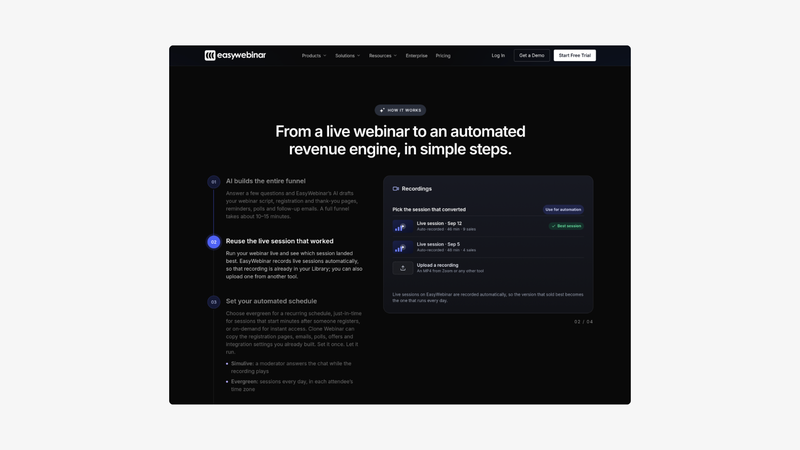
EasyWebinar combines live webinar hosting with automation tools designed to help businesses turn presentations into repeatable marketing and sales campaigns.
Its main appeal is the ability to deliver a webinar live and then reuse that content through automated or evergreen sessions. This is particularly useful for companies that regularly present the same training, product demonstration or commercial offer to new audiences.
EasyWebinar also includes familiar webinar engagement and marketing features, such as registration pages, polls, chat and calls to action. Together, these tools support both live interactions and automated campaigns designed to reach prospects over time.
Key features:
- Live webinar hosting
- Automated webinar sessions
- Evergreen webinar scheduling
- Webinar registration pages
- Email notifications and follow-ups
- Screen sharing and presentations
- Live chat
- Audience polls
- In-webinar calls to action
- Webinar analytics and reporting
Best for: Businesses looking to combine live presentations with automated, evergreen webinar campaigns.
Strengths: Live and automated webinar capabilities, repeatable campaigns, evergreen scheduling and conversion-oriented features.
Considerations: EasyWebinar is particularly valuable when automation is a priority. Teams focused on highly produced, interactive live events may find less value in its evergreen capabilities. Access to automation features can also depend on the subscription plan.
Pricing: EasyWebinar's Launch plan starts at $44/month billed monthly, supporting 50 live attendees. However, automated and evergreen webinars require the Growth plan, starting at $116/month billed monthly for 200 live attendees.
Higher plans include Pro at $198/month for 500 live attendees and Scale at $349/month for 1,000 live attendees. Annual billing discounts are available.
Unlike platforms offering unlimited events, EasyWebinar applies webinar quantity limits depending on the plan, ranging from five webinars on Launch to twenty on Scale. Teams planning frequent sessions should consider both audience capacity and webinar limits when comparing costs.
Why choose it over Zoom Webinars? EasyWebinar combines live hosting with dedicated evergreen automation, making it a practical choice for businesses that want to turn webinars into repeatable marketing campaigns.
6. GoTo Webinar: Best for Traditional Webinars and Training
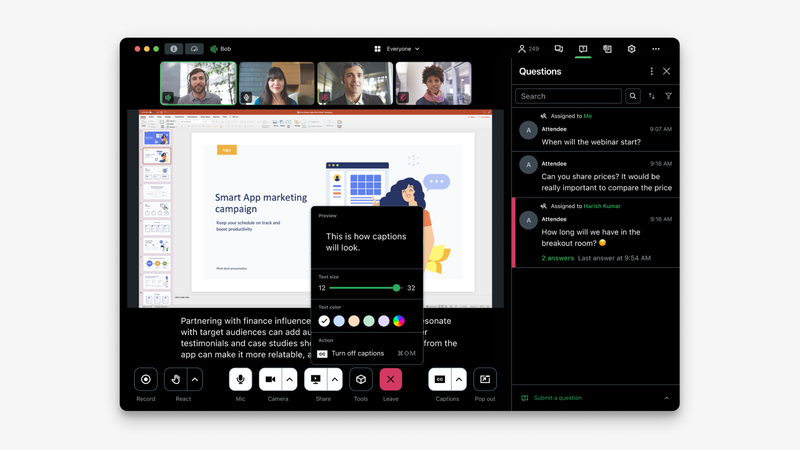
GoTo Webinar is an established platform designed for organizations that regularly deliver structured online presentations, professional training sessions and informational webinars.
It covers the essential stages of webinar management, including registration, event scheduling, presentation delivery and attendee reporting. Its conventional webinar format makes it relevant for companies that prioritize structured content delivery and predictable event workflows.
GoTo Webinar is particularly suited to training departments, customer education teams and organizations running recurring presentations where reliable administration and attendance tracking are important.
Key features:
- Webinar scheduling and management
- Custom registration pages
- Automated reminder emails
- Screen sharing and presentations
- Live audience polls
- Q&A management
- Attendee chat
- Webinar recordings
- On-demand webinar access
- Attendance and reporting analytics
Best for: Organizations running traditional webinars, corporate training and recurring educational presentations.
Strengths: Established webinar workflows, structured event management, training-oriented use cases and attendance reporting.
Considerations: GoTo Webinar follows a more traditional approach to webinar hosting. Teams looking for highly customized live production, modern visual experiences or advanced audience participation should compare its capabilities with more production-oriented alternatives.
Pricing: GoTo Webinar offers several subscription tiers based on webinar capacity and organizational needs.
The Reach plan supports up to 500 participants and one organizer, while Elevate increases capacity to 1,000 participants and adds features such as custom branding and cloud recordings. Larger organizations can request a customized Complete package.
Pricing varies by subscription and billing period. Exact public prices were not consistently displayed on the official pricing page during verification, so teams should confirm the current quote before comparing total costs.
Why choose it over Zoom Webinars? GoTo Webinar offers a dedicated, traditional webinar workflow for organizations that prefer managing recurring presentations and training sessions outside the Zoom ecosystem.
7. WebinarNinja: Best for Beginners and Small Teams
WebinarNinja is a webinar platform aimed at small businesses, independent professionals and teams looking for a straightforward way to start hosting webinars.
Its approach focuses on making common webinar tasks accessible, from setting up an event and managing registrations to delivering presentations and reviewing attendee activity. This makes it relevant for consultants, educators and small marketing teams without dedicated event production resources.
WebinarNinja provides familiar webinar tools and supports different webinar formats, helping smaller organizations organize online presentations without building a complicated production workflow.
Key features:
- Webinar creation and scheduling
- Registration and landing pages
- Customizable registration forms
- Automated email notifications
- Live webinar hosting
- Screen sharing and presentations
- Audience chat
- Q&A and interaction tools
- Webinar recordings and replays
- Attendee analytics
Best for: Beginners, independent professionals and small teams looking for an accessible webinar platform.
Strengths: Straightforward setup, accessible webinar management and features suited to common webinar use cases.
Considerations: WebinarNinja is primarily relevant for smaller webinar programs. Organizations planning complex enterprise events, advanced live productions or large-scale webinar operations should verify whether its available plans meet their requirements.
Pricing: ProProfs WebinarNinja uses an attendee-based pricing model, with an advertised annual-billing rate of $0.30 per attendee per month under a promotional offer.
The platform includes unlimited webinars, registrations, replays and automated sessions. Rather than charging per webinar, pricing is tied to the attendee allowance selected for the subscription.
A 14-day free trial is available. Teams should check the current promotional rate and attendee calculation rules before subscribing, particularly if they expect their monthly audience to fluctuate.
Why choose it over Zoom Webinars? WebinarNinja offers a straightforward webinar-focused workflow for beginners and small teams that don't need the broader Zoom ecosystem.
How to Choose the Right Zoom Webinar Alternative
The right platform depends less on the longest feature list and more on how your team actually runs webinars.
Audience size and webinar duration
Start with the number of people you expect to attend simultaneously, not the number you expect to register.
A webinar with 2,000 registrations and 500 live attendees has different capacity requirements from an event expecting 2,000 concurrent viewers.
Also consider duration. A 45-minute product demonstration and a four-hour corporate event may have different technical and production needs.
Zoom Webinars is particularly relevant for large-scale presentations, but alternative platforms may also support substantial audiences. Compare the specific capacity and duration limits of the plans you're evaluating.
Ease of use and production capabilities
Ease of use can mean two different things.
For some teams, it means creating a registration page and launching a presentation with minimal preparation.
For others, it means producing a professional-looking event without specialist broadcasting software.
These are different requirements.
A marketing team running weekly educational webinars may prefer Demio's streamlined workflow. An internal communications team producing a company-wide announcement with several speakers, branded layouts and audience participation may find Sparkup's live studio more relevant.
When evaluating software, ask who will operate the webinar and how much production control that person needs.
Audience engagement and analytics
Most webinar platforms provide familiar interaction tools such as polls, chat and Q&A.
The more useful question is what your team wants to achieve with those interactions.
For a lead-generation webinar, engagement data can help identify interested prospects and inform follow-up conversations.
For an internal town hall, participation might mean allowing employees to ask questions, appear on screen or contribute directly to the discussion.
Consider both the audience experience during the webinar and the information available afterward.
Attendance figures tell you how many people joined. Engagement analytics can help you understand what they did while they were there.
Pricing, licensing and integrations
Comparing webinar pricing requires looking beyond the headline subscription fee.
Some platforms price according to attendee capacity, others use participant credits, and certain capabilities may require higher-tier plans or additional subscriptions.
Calculate the cost against your expected usage: number of webinars, concurrent attendees, hosts, event duration and required features.
Integrations deserve the same scrutiny. A long integration list is only valuable if it connects with tools your team actually uses.
For example, a B2B marketing team relying on HubSpot may prioritize contact synchronization and webinar engagement data. An internal communications team may care more about authentication, access management and reliable delivery.
The best-value platform is the one that covers your actual requirements without making you pay for unnecessary complexity.
Final Verdict: Which Zoom Webinar Alternative Should You Choose?
Zoom Webinars remains a strong choice for organizations running large, structured online presentations, particularly when Zoom is already part of their technology stack.
But other platforms may be better suited to more specific requirements.
For organizations that want more engaging live experiences, Sparkup combines studio-quality production, video-integrated interactivity and audience participation with the essential tools needed to manage webinars from registration to analytics.
Livestorm is worth considering for security-conscious organizations that need traditional webinar features. Demio focuses on simple marketing webinars, while WebinarJam and EasyWebinar serve businesses with sales and automation priorities. GoTo Webinar offers a conventional approach to training and business presentations, and WebinarNinja targets smaller teams getting started.
FAQ
What is the best alternative to Zoom Webinars?
It depends on your priorities. Sparkup is a strong option for interactive, studio-quality webinars. Livestorm suits organizations that prioritize security and traditional webinar management, while Demio focuses on straightforward marketing webinars. WebinarJam is particularly relevant for sales-focused presentations, and EasyWebinar for automated webinar campaigns.
Is there a free alternative to Zoom Webinars?
Some webinar platforms offer free plans or trials, but the conditions vary significantly. Before choosing a free plan, check its attendee capacity, recording availability, branding restrictions and event duration. A free video meeting plan should not automatically be treated as equivalent to dedicated webinar software.
Is Zoom Webinars included in Zoom Workplace?
Zoom Webinars is generally offered as an additional webinar product rather than being included automatically with every Zoom Workplace subscription. Eligibility, purchasing requirements and available capacity depend on the specific plan and commercial arrangement. Check Zoom's current pricing and licensing documentation before calculating the total cost.
Which Zoom Webinar alternative is best for interactive webinars?
Sparkup is worth considering when audience participation is a central part of the event. Alongside familiar interactions such as polls and Q&A, it integrates interactive elements directly into the video and allows organizers to display participants in a video mosaic or invite attendees to speak on screen. This is particularly relevant for town halls, product launches and interactive corporate events.
Which Zoom Webinar alternative is best for marketing teams?
Demio is a good fit for teams prioritizing straightforward lead-generation webinars. Livestorm is relevant when security and structured webinar workflows are important. WebinarJam focuses on sales conversions, while Sparkup is suited to marketing teams that want polished live production and detailed engagement analytics. The choice depends on how webinars contribute to the marketing strategy.
Can Zoom Webinars handle large audiences?
Yes. Large-scale webinar hosting is one of Zoom Webinars' strengths. The supported number of attendees depends on the purchased capacity and available commercial offers. Organizations planning major events should confirm concurrent attendance limits, webinar duration and any additional production requirements before choosing a plan.